If your numbers feel off, your profit is inconsistent, or you’re constantly surprised at the end of a job — you don’t have a revenue problem. You have a job costing problem.
Most contractors I talk to can’t tell me what they actually netted on their last five jobs. Not because they’re bad at their trade — they’re great at it. They just have no system that ties every dollar back to a specific project. So they guess. And the guess is usually wrong.
This guide breaks down exactly how to track job costs the right way, where most contractors leak profit, and how to use JobTread + QuickBooks Online to get accurate, real-time job profitability. No fluff. No software pitch. Just what actually works for $1M–$15M specialty trade contractors.
Each section summarizes a topic and links out to a deeper guide on that specific piece. Use the navigation below to jump to what you need.
Job costing means tracking every dollar tied to a specific project, broken down by labor, materials, subs, equipment, and overhead.
QuickBooks Online is an accounting system, not a project tracking system. For real job costing, you need a project layer on top.
JobTread tracks the job. QuickBooks records the financials. The two sync. That’s the gold-standard contractor tech stack.
Most contractors lose money on labor because they estimate it but never track actual hours against the job. Weekly estimate-vs-actual reviews are the fix.
Materials get purchased, subs get paid, but the expenses aren’t linked to specific projects in JobTread. Nobody catches it until the financials look wrong — usually months later.
You modify a job in JobTread, but those changes don’t reflect in QuickBooks. Your job costing data goes stale the moment the change order is signed.
Job costing for contractors is the process of tracking every cost — labor, materials, subcontractors, equipment, and overhead — against a specific project so you can measure that job’s actual profitability.
It’s the difference between thinking you made money on a kitchen remodel and knowing you made $14,200 — or lost $3,800.
Here’s the problem: most contractors think they’re job costing. They’re not. They’re tracking totals.
Real job costing turns gut feel into financial fact. Without it, you’re flying blind until tax season hands you the bill.
→ Read the full guide: What Is Job Costing? A Plain-English Guide for Contractors
If you don’t have all five of these dialed in, your job costing numbers are wrong. Period.
Cost codes are the standardized categories that break a job into trackable pieces — labor, materials, subs, equipment, overhead, permits, travel. Think of them as the chart of accounts for your projects. Without them, every dollar gets dumped into one bucket and you lose all visibility on the next bid.
→ Read the full guide: Construction Cost Codes: The Complete Guide for QuickBooks + JobTread
Labor is usually your largest single cost — and the least accurately tracked. This is where 90% of profit problems live. Common mistakes: estimating hours but never tracking actuals, forgetting labor burden (which adds 30–60% on top of base wages), logging time without assigning it to a specific job, and crews jumping between jobs all day with no time-tracking discipline.
The fix: every hour your crew works gets tied to a job and a cost code at the time of work, not at the end of the week. JobTread’s mobile time-tracking module makes this brutally simple, and that data flows straight into your job’s actual costs.
→ Read the full guide: How Contractors Lose Money on Labor (And the Tracking Fix That Stops It)
Material prices fluctuate constantly — lumber, copper, drywall, fixtures, you name it. If you’re not tracking material spend in real time, your estimates are obsolete the moment you sign the contract. Every purchase has to get assigned to a job and a cost code at the time of purchase — not weeks later when no one remembers what the receipt was for.
→ Read the full guide: Tracking Material Costs in Construction: Real-Time vs. Receipts in a Shoebox
The silent profit killer
This is where most “profitable” jobs aren’t actually profitable. Overhead is everything you spend to keep the business running that isn’t tied to a single job — office staff salaries, general liability, software subscriptions, trucks, fuel, rent, owner’s salary (yes, that counts). If you’re not allocating overhead to your jobs, your gross margins look great and your net margins are garbage. You’re underbidding without knowing it.
→ Read the full guide: Construction Overhead and Profit: How to Calculate What You’re Actually Making
Most contractors under-track subs because the invoices come in lump sums and get paid without analysis. That’s a missed opportunity to catch overruns, improve future estimates, and — more importantly — protect yourself from a workers comp audit surprise. Pay a sub without a current COI on file and your insurance company can add their entire payment to YOUR premium at audit time. We’ve seen contractors get hit with $30K back-bills they never saw coming.
→ Read the full guide: Subcontractor Cost Tracking: 1099s, Workers Comp, and the Surprise Audit Bill
qbo ≠ jobcosting software
Let’s get this out of the way: QuickBooks Online is great. Just not for job-level project tracking past about $1M in revenue.
QBO has a “Projects” feature, and yes, you can technically job cost in it. But for a working contractor running multiple jobs with crews, subs, and changing material prices, it’s like trying to frame a house with a finish hammer. Possible. Painful. Not the right tool.
→ Read the full guide: QuickBooks Online Projects vs. JobTread: When QBO Alone Stops Working

The simple way to think about it:
JobTread = job-level tracking, estimating, project management, team coordination — the operational layer where your team actually works
QuickBooks Online = financial system of record, accounting, taxes, and reporting — the financial layer where your accountant lives
The two sync together so the work happens in JobTread and the books stay clean in QuickBooks.
Build the estimate in JobTread using standardized cost codes
Track expenses, labor, and subcontractors in JobTread as the job runs
Sync financial transactions to QuickBooks automatically (vendor bills, invoices, payments)
Run job-level reports in JobTread to see real-time profitability
Run financial reports in QuickBooks for P&L, cash flow, and tax
Watch: setting up the JobTread + QuickBooks Online connection
JobTread’s official walkthrough on connecting QuickBooks Online to your account:
→ Read the full guide: JobTread + QuickBooks Online: The Complete Setup Guide From an Accountant
The integration is powerful when it’s set up right and a nightmare when it’s not. Here are the five mistakes we see over and over when contractors connect JobTread to QBO themselves — and what to do instead.
→ Read the full guide: JobTread to QuickBooks Sync Errors: What They Mean and How to Fix Them
Cost codes are the single most important structural decision you’ll make in JobTread. Get them right and every estimate, invoice, and report tells you something useful. Get them wrong and you’ll be cleaning up data for years.
Enough to give you visibility — not so many that nobody uses them. Most $1M–$15M specialty trade contractors land somewhere between 40 and 120 cost codes. Less than that and you can’t see where money is leaking. More than that and your field crew skips the assignment because picking the right one takes too long.
Only if you’re doing commercial work that requires it. For specialty trades doing $1M–$15M in residential and light commercial, the CSI structure is overkill. Build a custom structure organized around the way YOUR jobs actually run — by trade phase, not by accounting category.
Every cost code has to land somewhere in QBO. The mapping rules:
The mistake we see most often: dumping everything into one “Job Costs” account in QBO. That works for tax season. It tells you nothing about which trade is actually profitable.
Labor is usually your largest single cost — and the least accurately tracked. This is where 90% of job profit problems live.
Common labor tracking mistakes:
– Estimating labor hours but never tracking actual hours against the job
– Forgetting to include labor burden (payroll taxes, workers’ comp, benefits, PTO) — which typically adds 20–35% on top of base wages
– Logging time but not assigning it to a specific job and cost code
– Crew jumping between jobs all day with no time-tracking discipline
The fix: Every hour your crew works must be tied to a job and a cost code. JobTread’s time-tracking module makes this brutally simple — and that data flows straight into your job’s actual costs.
If you’re billing labor at $30/hour and your crew member’s wage is $20/hour, you might think you’re making $10/hour on labor.
You’re not.
Your TRUE cost on that crew member is closer to $26–$32/hour once you add labor burden — payroll taxes, workers comp, general liability, health insurance, retirement contributions, PTO, training, uniforms, vehicle costs. For specialty trades, burden typically runs 30–60% on top of base wages, depending on state, benefits package, and workers comp class code.
Fully burdened labor rate = base hourly wage × (1 + burden rate %)
So a $20/hour crew member with a 40% burden rate costs you $28/hour, not $20. Bid the job at $30/hour billable and you’re making $2/hour, not $10. That’s the difference between a healthy 40% gross margin and a barely-breathing 7%.
Contractors who don’t track burden tend to win every bid. They also tend to go out of business in 5 years. The contractor down the road who DOES track burden bids higher, loses the cheap jobs, and keeps the profitable ones. Guess which one is still in business at year 10?
Two things QuickBooks Online doesn’t handle well out of the box: Work in Progress (WIP) reporting and retainage tracking. Both matter the moment you start running jobs that span more than one month.
A Work in Progress report shows, for each open job, the contract value, costs incurred to date, the percent complete, the revenue you’ve earned, and how much you’ve billed against that earned revenue. The two key numbers it surfaces:
If you’re trying to get bonded, secure a real line of credit, or just understand whether your busy season is actually profitable, you need a WIP. QBO doesn’t build one for you. JobTread can produce most of the inputs, but it still needs to be assembled correctly each month.
QBO has no native retainage feature. The standard workaround: create a “Retainage Receivable” account on your balance sheet, build a negative-rate Product or Service to hold back the percentage on each invoice, and manually track release at job completion. It works, but it has to be set up correctly or your A/R aging report lies to you about how much money you’re owed.
→ Read the full guides:
Industry data: contractors lose an average of 24 days between when a change order is verbally agreed to and when it gets formally documented. A $10M contractor with weak change order processes can leak ~$500K over five years just from changes that got worked but never billed.
What goes wrong
The fix
Every change order has to (1) get logged in JobTread the day it’s verbally approved, (2) update the job budget, (3) sync as a separate billable line to QBO, and (4) trigger a billing event. JobTread’s change order workflow handles all four if your team is trained on it. The video below walks through the JobTread side.
One report. Run it every Friday. It will save you more money than any other single habit in this guide.
The estimate vs. actual report compares what you BID for each cost code on a job against what you’ve actually SPENT on that cost code so far. Run mid-job, it tells you which job is bleeding while there’s still time to do something about it. Run at job close, it tells you whether your estimating math holds up — and what to adjust on the next bid.
The single discipline that separates contractors who hit their numbers from contractors who don’t: weekly estimate vs. actual reviews. Not monthly. Weekly.

Labor over by 15%+
Usually a productivity or scope issue. Check if the crew is on the right job.
Materials over by 20%+
Usually a quantity miss in the takeoff or a price spike. Tighten your supply house pricing process.
subs over by any amount
Usually a missing change order. Find it.
Equipment over
Usually rentals running longer than expected. Tighten the schedule.
The right way to think about it:
– JobTread = job-level tracking, estimating, project management, and team coordination
– QuickBooks Online = financial system of record, accounting, taxes, and reporting
The two sync together so the work happens in JobTread (where your team actually lives) and the books stay clean in QuickBooks (where your accountant lives).
We see the same five mistakes destroying contractor margins over and over. Here’s each one — and how to fix it.
Everything that touches the books — every synced transaction, every cost code mapping, every invoice, every payment — we make sure it’s accurate, properly categorized, and giving you numbers you can make decisions from.
This isn’t us being difficult. It’s us being clear about where our expertise starts — and where yours doesn’t stop. The contractors who get the best results from working with us are the ones who own their project data and let us own the accounting integrity underneath it.
Our typical clients include general contractors, roofers, HVAC companies, plumbers, electricians, landscapers, and other specialty trades that manage jobs, estimates, change orders, and vendor costs through JobTread.
Most contractors have a gap between their project management and their accounting. The project managers know the jobs. The bookkeeper knows the books. But nobody’s making sure the two systems agree.
That gap is where bad decisions get made:
Jobs that looked profitable on paper actually lost money — because costs were coded wrong or never made it from JobTread to QuickBooks in the first place.
Cash flow projections that don’t match reality — because retainage isn’t tracked correctly and AR aging is based on incomplete data.
Tax filings based on unreliable data — because the books don’t reflect what actually happened on your projects.
Year-end surprises that could have been prevented — because nobody was reviewing the integration monthly and small errors compounded into big ones.
We close that gap. Not with more software. Not with more meetings. With disciplined, ongoing accounting oversight that keeps your systems honest.
One firm. One relationship. Complete financial clarity.
Questions & Answers
A: Yes. JobTread has a native integration with QuickBooks Online that syncs invoices, payments, and customer data between the two systems. However, the default integration doesn’t automatically map your cost codes to the correct chart of accounts, handle retainage properly, or ensure your financial reports are accurate. Turning on the sync is the easy part. Making sure the data flowing through it is correct — and stays correct — is where a construction-focused accounting firm comes in.
A: The most common reasons are misconfigured cost code mapping (JobTread cost codes hitting the wrong accounts in QuickBooks), payments syncing to incorrect accounts, retainage not being tracked in a separate account, expenses hitting QuickBooks that aren’t tied to jobs in JobTread, and change orders not carrying through to QuickBooks. These issues compound over time. After a few months of misaligned data, your QuickBooks reports can be significantly off from what JobTread is showing — and neither one is reliable until the root sync issues are identified and fixed.
A: Job costing is an accounting method where revenue and expenses are tracked on a per-project basis rather than lumped together across the business. For construction and trades companies, this means tracking every cost — materials, labor, subcontractors, equipment, permits — against the specific job it belongs to. The goal is to know exactly how profitable each project is while it’s still in progress, not just at year-end. Accurate job costing requires a properly structured chart of accounts, consistent cost code usage in your project management tool (like JobTread), and an accounting system (like QuickBooks) configured to receive and categorize that data correctly.
A: You can turn on the sync between the two platforms yourself — JobTread makes that part straightforward. But connecting the systems is the easy part. The hard part is making sure your chart of accounts is structured for construction, your cost codes map correctly to the right accounts, retainage is tracked properly, customer and invoice records match between systems, and payments don’t duplicate or get lost in translation. Most contractors who attempt this themselves end up with data that syncs but doesn’t produce meaningful reports. What looks “connected” on the surface is quietly creating reconciliation problems underneath. We run a structured 5-phase implementation specifically because getting this right requires more than just toggling on a sync.
A: If you’re running a trades or construction business with job costing, the short answer is yes. Construction accounting is fundamentally different from retail, professional services, or general small business accounting. It involves project-based revenue recognition, cost code structures, WIP reporting, retainage tracking, progress billing, and a chart of accounts that’s organized around how construction businesses actually operate. A generalist bookkeeper will set up your QuickBooks file the same way they’d set up an e-commerce store — and then neither you nor they will understand why the reports don’t make sense. The software is secondary. The construction accounting knowledge is what matters.
A: A Work-in-Progress (WIP) report compares the percentage of work completed on a construction project against the percentage of revenue billed to date. It tells you whether you’re overbilling (billing ahead of where you actually are on the project) or underbilling (further along on the work than you’ve invoiced for). WIP reports are essential for cash flow management, accurate financial statements, and surety bonding. To generate a reliable WIP report, your job costing data in JobTread needs to reconcile with the financial data in QuickBooks — which is exactly what our integration service ensures. We configure WIP reporting as one of the core reports included in every engagement.
A: Cost codes are the standardized categories that construction and trades companies use to classify job expenses — things like rough framing, electrical rough-in, concrete, site cleanup, or dumpster fees. In JobTread, cost codes are assigned to each expense or line item on a project. In QuickBooks, those cost codes need to map to specific accounts in your chart of accounts so the financial data is categorized correctly. When this mapping is wrong — or when a generic “catch-all” account is used for everything — your job profitability reports become unreliable. Cost code-to-chart-of-accounts alignment is one of the first things we configure during our integration setup, and we maintain it as your business adds new job types or service categories.
A: Our setup fee starts at $2,500 as a one-time engagement. This covers the full Discovery-through-Go-Live implementation — assessing your current systems, building the integration properly, validating the data, and monitoring through launch. Ongoing monthly service starts at $495/month and includes sync health monitoring, reconciliation, unapplied expense identification, cost code maintenance, and reporting. Both are add-ons to a full-service accounting and tax engagement. Pricing varies based on the complexity of your setup, your transaction volume, and how much cleanup is needed. We give you a clear number after the Discovery phase — no surprises.
A: It depends on the size and complexity of your business — the number of active jobs, the volume of transactions, and how many systems need to be integrated. Our full-service accounting engagements (which include monthly bookkeeping, financial reporting, tax planning, and advisory) are priced based on scope. The JobTread integration layer starts at $2,500 for setup and $495/month ongoing, on top of the base engagement. We don’t publish our full bookkeeping pricing online because it varies significantly, but we’ll give you a clear, upfront number after an initial conversation. No hourly billing surprises.
A: For most trades and construction businesses in the $1M–$10M revenue range, QuickBooks Online is the best fit. It’s affordable, widely supported by construction-focused CPAs and bookkeepers, and integrates with project management tools like JobTread. The software itself isn’t the differentiator though. What matters is how it’s set up. A QuickBooks file configured specifically for construction — with a proper chart of accounts, job costing enabled, retainage tracked correctly, and clean integrations — will outperform expensive industry-specific accounting software that’s poorly implemented. We’re a QBO shop because it works for our clients and we know how to set it up right.
A: A construction accountant handles the financial management that’s specific to how project-based businesses operate. That includes setting up and maintaining a construction-appropriate chart of accounts, managing cost code structures and their mapping to accounting categories, producing WIP reports, tracking retainage receivable and payable, managing progress billing, reconciling project management tools (like JobTread) with your accounting system (like QuickBooks), preparing financial statements, and handling tax preparation, planning, and filing. The key difference between a construction accountant and a general accountant is the understanding of project-based revenue, long-duration contracts, job-level profitability, and the reporting requirements that come with bonding, compliance, and actually running a trades business.
A: Retainage — the percentage of each payment held back until project completion — should be tracked in a separate Accounts Receivable sub-account (for retainage you’re owed) and a separate Accounts Payable sub-account (for retainage you’re holding from subs). Most default QuickBooks setups don’t include these accounts, which means retainage gets mixed into your regular AR and AP balances. This inflates what you think you’re owed, distorts your cash position, and makes your WIP reports inaccurate. Proper retainage tracking is part of our chart of accounts configuration from day one — it’s not optional for construction companies.
A: If you’re spending time reconciling accounts, chasing down discrepancies between JobTread and QuickBooks, or building reports in spreadsheets because you don’t trust the ones your system produces — yes. Your time is worth more running jobs and growing your business. Outsourcing to a construction-specialized firm (not a generalist) means your books are set up correctly from the start, your integration is maintained by someone who understands both systems, and your reports are produced monthly without you having to chase them. The cost of getting it wrong — bad financial decisions based on inaccurate data, underbilling you don’t catch, jobs that quietly lose money — is almost always more expensive than hiring it done right.
A: At minimum, every construction or trades company should be reviewing five reports monthly: a Job Profitability report (which jobs are making money and which aren’t), a Work-in-Progress (WIP) report (are you overbilling or underbilling on active projects), a Cost Variance report (how do actual costs compare to your original estimates), an Accounts Receivable aging report (who owes you money and how old is that receivable), and a Monthly P&L summary (how’s the overall business performing). These are the five core reports we configure as part of every JobTread integration engagement, and they’re the reports we produce and can review with clients monthly.
A: Three things have the biggest impact. First, use consistent cost codes across every project and make sure your field team understands them — if everyone codes expenses differently, your data is unreliable at the source. Second, make sure your cost codes in JobTread map correctly to your chart of accounts in QuickBooks — this is where most inaccuracies originate and where most contractors don’t realize there’s a problem. Third, review job cost reports monthly, not quarterly or annually. Catching a miscoded $2,000 materials charge in month one is easy. Finding it buried in a year’s worth of transactions is a nightmare. All three of these practices are built into our ongoing monitoring service.
A: Your accounting system needs to keep up. When you add new cost codes, job types, or service categories in JobTread, we update your QuickBooks chart of accounts and ensure the new codes are mapped correctly. This is part of our ongoing Chart of Accounts & Cost Code Maintenance service. Most integration breakdowns don’t happen at launch — they happen months later when someone adds a new cost code and it starts dumping data into the wrong account because nobody updated the mapping. We catch that before it becomes a problem.
A: Because JobTread doesn’t replace your accounting — it depends on it. The integration between JobTread and QuickBooks is only as good as the books underneath. If your chart of accounts is wrong, your reconciliation is months behind, or your tax data is unreliable, fixing the integration alone won’t help. That’s why every JobTread client also receives monthly bookkeeping, financial reporting, tax planning, and advisory services. The integration is the specialized layer on top of a solid accounting foundation. One firm, one relationship — no gaps between your project data and your financials.

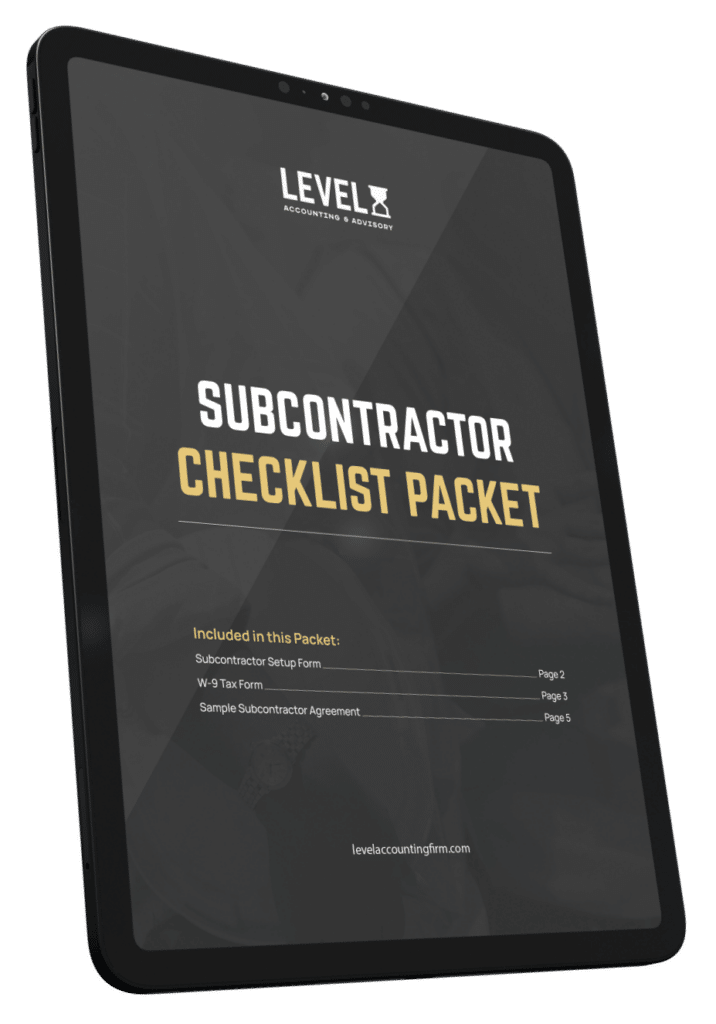
The Subcontractor Packet That Protects You From a $30K Audit Surprise
-> The complete done-for-you packet — setup form, W-9, and sample subcontractor agreement ready to hand to every sub before their first check
-> The one missing document that lets your insurance company add a sub’s entire payment to YOUR workers comp premium — and how this packet prevents it
-> The insurance minimums, COI requirements, and indemnification language most contractors don’t have in writing until it’s too late