A pool builder in Florida called us last spring. He’d just gotten his workers comp audit back and they wanted another $30,000. Why? Because he paid five subs over the last 12 months and couldn’t produce a Certificate of Insurance for any of them. The auditor added every dollar he paid those subs to HIS payroll and recalculated his premium. $30K. Owed in 30 days.
I’m Erin Andrews, owner of Level Accounting & Advisory. We’re a construction-only firm, and the workers comp audit story above is one we hear about every single year. Subcontractor cost tracking isn’t just about job costing — it’s about protecting yourself from a six-figure surprise that hits in writing months after you paid the sub.
This guide covers how to track subs by job, what paperwork has to be in your file before the first check, how to set them up in QBO so 1099s work in January, and what happens at the workers comp audit if you skip it.
What “subcontractor cost tracking” actually means
Subcontractor cost tracking is the practice of recording every dollar you pay to a sub against the specific job they worked on, with the right paperwork in your file (W-9, COI, signed agreement) BEFORE you cut the first check. It’s part job costing, part risk management. Done right, you know which jobs your subs are profitable on, you file accurate 1099s in January, and you walk into a workers comp audit with documentation that protects your premium.
Done wrong, you get the $30K phone call.
The COI rule: every sub, every year, before the first check
Here’s the rule, and it’s not negotiable in our shop: you do not pay a sub a single dollar until you have their current Certificate of Insurance on file. Every sub. Every year. Workers comp coverage AND general liability.
Why this matters at the workers comp audit:
When your auditor shows up — and they will, every year — they ask for a list of every vendor you paid for “labor-like” services. Then they ask for the COI for each of those vendors. If a vendor doesn’t have a current workers comp policy at the time of payment, the auditor treats those payments as if YOU paid them as wages — and recalculates your workers comp premium.
The math is brutal. Workers comp class codes for trades like roofing, framing, and HVAC routinely run 8% to 25% of payroll. Pay a sub $100,000 without a COI, and your audit bill can be $8,000 to $25,000 just on that one vendor. Multiply that by every uninsured sub you used and you understand how the $30K phone call happens.
The system:
- Collect a current COI before the sub starts work — not after
- Store it digitally, named with the sub’s name and the expiration date
- Calendar a reminder 30 days before each COI expires
- If a sub’s COI lapses mid-job, no more checks until you have a renewal
- Keep COIs for 7 years minimum (your audit window)
Yes, this is annoying. Yes, it makes good subs grumble. Do it anyway. Every contractor who has been through the $30K audit conversation will tell you the same thing.
The W-9 rule: collect before the first payment, not at year-end
Same rule as the COI: get the paperwork BEFORE you cut a check. The W-9 captures the sub’s legal name, address, EIN or SSN, and entity type — everything you need to file a 1099 in January.
What goes wrong when you skip this:
- You hit January 25th and realize you owe 1099s to 12 subs you never collected W-9s from
- You scramble to chase down W-9s from subs you haven’t talked to in months
- Three of them have moved, two have changed entity types, one is now a corporation (no 1099 required)
- You either file late or you file with missing/wrong info
- 1099 penalties run $60–$310 per form for late filings, up to $630 per form if the IRS deems it intentional disregard. There’s no cap on the total penalty.
Get the W-9 with the COI, before the first check. Both go into the vendor folder before the sub gets paid.
Here’s a clean walkthrough of how to set sub vendors up correctly in QBO so 1099 prep works smoothly in January:
How to set up subs in QBO so 1099s work at year-end
The setup decisions you make in January determine whether 1099 filing is a 1-day task or a 3-week scramble. Here’s how to set it up right:
- Create each sub as a Vendor in QBO — never as a Customer or as an Employee
- Mark “Track payments for 1099” on the vendor profile
- Enter the W-9 data — legal name, address, EIN/SSN, entity type
- Tag the right tax classification — sole proprietor, single-member LLC, partnership, S-Corp, C-Corp. Corporations generally don’t need a 1099 (with exceptions for legal and medical services); the others do.
- Map vendor expense accounts to the right COGS subcontractor account in your construction chart of accounts
- When you pay a sub, code the bill to the correct project AND cost code — not just to a generic “Subcontractors” expense line
- Use Bill Pay or check, not credit card or third-party payment apps — payments via PayPal, Venmo Business, or credit card are reported by those processors on a 1099-K, not by you on a 1099-NEC. Mixing those up creates double-reporting issues.
Set this up correctly the first time and your January 1099 filing is QBO clicks “Prepare 1099s,” reviews 30 vendors in 20 minutes, and e-files. That’s it.
How to tie sub invoices to specific cost codes
For real job costing, every sub bill gets tagged to two things: the project AND the cost code. Tagging just to the project tells you “we spent $8,400 in subs on the Anderson kitchen.” Tagging to the cost code tells you “$5,200 went to the electrician — we budgeted $4,500” and now you know you have a $700 variance on electrical, which means the next time you bid an electrical scope like this you bid $700 higher.
In a JobTread + QBO setup, the sub bill flows like this:
- Sub sends an invoice for the project
- You review it in JobTread, attach it to the project, and assign the right cost code (e.g. “40-300 Electrical — Sub”)
- JobTread syncs the bill to QBO, posting to the COGS — Subcontractors account, tagged to the project and cost code
- The bill shows up on your estimate vs. actual report under the right cost code
- You pay the sub from QBO Bill Pay or check, and the payment is recorded against the bill
For more on how to structure cost codes so this all flows cleanly, read our complete guide to construction cost codes.
Reviewing sub estimate vs. actual — every job, every week
Subs are one of the biggest variance sources on a typical specialty trade job. The plumber’s invoice comes in $1,800 over the bid because of “scope changes” nobody documented. The concrete sub charges for an extra yard he poured “just to be safe.”
The fix is the weekly Friday review. Pull the estimate vs. actual report on every active job. Look at the sub line specifically. Any sub more than 10% over the estimate gets a phone call before you approve the bill for payment.
Almost always, one of three things is happening:
- There’s a legitimate change order nobody wrote up — write it now
- The sub is padding — push back
- The bid was wrong — note it for the next time you bid a similar scope
If you wait until job closeout to catch it, the money’s gone. For the full Friday review playbook, read our guide to estimate vs. actual reports.
What happens at workers comp audit if you don’t have COIs
Walk through the auditor’s process so you know what’s coming:
- Auditor schedules — usually 30 days notice — and asks for your payroll records, your general ledger, and your list of vendors paid in the audit period
- They identify every vendor that looks like “labor” — anyone you paid for services, especially in trade-related categories
- For each labor-like vendor, they ask for the Certificate of Insurance showing workers comp coverage in effect during the period of payment
- Vendors WITH a current COI: their payments don’t count toward your premium. Done.
- Vendors WITHOUT a current COI: their payments get added to YOUR payroll under their applicable workers comp class code, and your premium is recalculated
- You get the audit bill — usually 60–90 days after the audit visit
- You have 30 days to pay or appeal
The pool builder I mentioned at the top? Five subs, no COIs, total payments around $180,000. The auditor coded them under class code 0050 (pool/spa work) at a rate that pushed his bill to about $30,000. He ended up settling around $24K after we helped him track down COIs from two of the five subs after the fact.
That’s the cost of skipping a 5-minute paperwork step at the start of every sub relationship.
The full subcontractor packet — download it
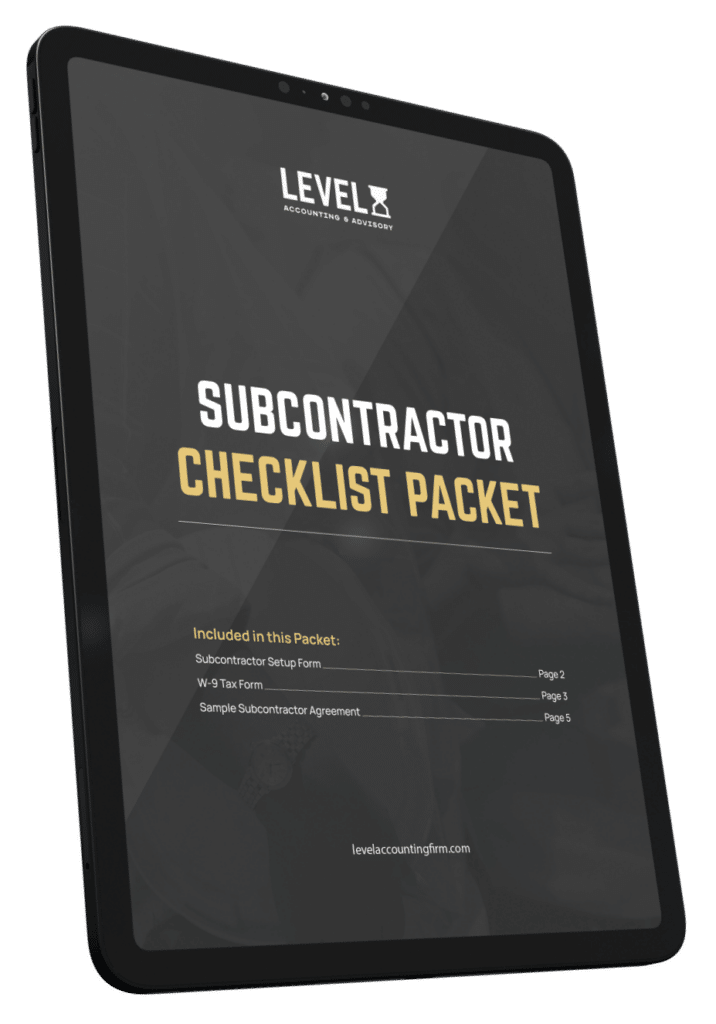
To make this actually doable, we built a free Subcontractor Onboarding Packet for our clients. It includes:
- W-9 form (current IRS version)
- COI request letter you can send your subs (with what to ask their insurance agent for)
- Sample subcontractor agreement template
- Onboarding checklist — every step from first call to first check
- Tracking spreadsheet for COI expiration dates
It’s a free download — no credit card, no upsell. Get the subcontractor packet here.
If you want the full picture on how subs fit into the broader job costing system, read the complete guide to job costing for contractors.
Frequently asked questions
Do I need to issue a 1099 to a subcontractor I paid less than $600?
No. The 1099-NEC threshold is $600 in payments for services in a calendar year. Below that, no 1099 required. You should still collect the W-9 — if you end up paying that sub more in future years, you’ll already have the paperwork.
Do I issue a 1099 to a subcontractor that’s an LLC?
It depends on how the LLC is taxed. Single-member LLCs and multi-member partnership LLCs get a 1099. LLCs taxed as S-Corps or C-Corps generally don’t (with some exceptions — legal services and medical services to corporations still get 1099s). The W-9 captures the tax classification — that’s why you collect it before the first check, so you know in January.
What if a sub refuses to give me a W-9?
You’re required by IRS rules to begin backup withholding at 24% on all payments to that vendor and remit it to the IRS. Practically: most contractors don’t pay subs who refuse to provide a W-9. Make it a precondition of the first check. The handful of subs that push back almost always have a tax issue you don’t want to inherit.
What if my sub’s COI expires mid-job?
Stop paying the sub until you have a renewed COI in hand. If the policy lapsed for any period and the workers comp auditor catches it during your audit, payments made during the lapse period get reclassified to YOUR payroll — even if the sub renewed afterward. Calendar reminders 30 days before expiration so you catch this before the auditor does.
Do I need a COI from a sub that’s a sole proprietor with no employees?
In most states, yes — and especially in construction. Some states allow sole proprietors without employees to opt out of workers comp coverage on themselves, but the workers comp auditor will still want documentation of the exemption. Get a COI showing GL coverage AND either active workers comp coverage OR a state-issued exemption certificate. When in doubt, ask the sub’s insurance agent.
How does Level help with subcontractor tracking?
It’s part of our monthly accounting service. We set up the QBO vendor file correctly the first time, run the W-9/COI tracking spreadsheet, calendar the renewal reminders, run the year-end 1099 filing, and handle the workers comp audit prep. Monthly services run $1,500–$6,500/month depending on revenue and complexity.
The bottom line
Subcontractor cost tracking is two jobs glued together. One is job costing — knowing which sub spend went to which job and which cost code, so your reports tell the truth. The other is risk management — keeping your COIs and W-9s current so the workers comp auditor and the IRS don’t show up with a five-figure bill.
Both jobs come down to the same habit: collect the paperwork before you cut the first check. Tag the bill to the project and the cost code. Calendar the COI renewal. Run the Friday variance review.
The pool builder learned this the hard way for $24K. You don’t have to.
Download the free subcontractor packet, or book a call.
Download the Subcontractor Packet Book a Discovery Call
Erin Andrews is the owner of Level Accounting & Advisory, a construction-only accounting firm based in Vero Beach, FL serving contractors nationwide. Level has 20 years of experience in construction accounting and serves specialty trades doing $1M–$15M in annual revenue.